


Home > Adobe Training Courses
Introduction to Adobe Illustrator Course (2 days)
This two day Adobe Illustrator course is aimed at designers and marketers who need to create or modify vector based logos, icons and artwork. This course is an introduction into the most essential tools that Illustrator offers.
Covid-19 Information
Our top priority is your safety. Courses will be limited to 4 delegates per session with strict social distancing restrictions in place. The University have put in special measures to ensure all areas within our building are sanitised regularly. Special attention is paid to the cleaning of desks, chairs, screens, keyboards, mousemats and mice.
Due to the situation, the on-site restaurant is not yet open, so we are unable to provide catered lunches until further notice. We encourage you to bring lunch and refreshments, although we will have drinks and refreshments available with a good supply of hand sanitiser and antibacterial wipes.
Click here to see our full Covid-19 Secure statement.
Course Information
- Price : £295 + VAT
- Level : Introduction

- Version : Illustrator CC
- Venue : Jubilee Campus, Nottingham
- Duration : 2 days
- Times : 9:30am - 4:30pm
This two day introduction to Adobe Illustrator course will give you the skills needed to produce interesting and original graphic compositions such as logos and vector art needed to enhance your digital publications.
| Dates | Venue | Days | Places | ||
|---|---|---|---|---|---|
Introduction to Adobe Illustrator (2 days)A 2 day, Introduction to Adobe Illustrator training course hosted in Nottingham, East Midlands.EventScheduled £295Book Now1 £295Book Now1 | 27th - 28th April 2020 | Nottingham, East Midlands, UK | 2 | 0 left | finished |
| Introduction to Adobe Illustrator (2 days)A 2 day, Introduction to Adobe Illustrator training course hosted in Nottingham, East Midlands.EventScheduled£295Book Now0 | 24th - 25th August 2020 | Nottingham, East Midlands, UK | 2 | 0 left | finished |
| Introduction to Adobe Illustrator (2 days)A 2 day, Introduction to Adobe Illustrator training course hosted in Nottingham, East Midlands.EventScheduled£295Book Now2 | 16th - 17th November 2020 | Nottingham, East Midlands, UK | 2 | 0 left | finished |
This Illustrator course includes

- 2 days trainer led in small groups
- Your own printed course manual
- Course files & exercises to take away
- Choice of PC or Mac for training
- Professional environment with high spec computers
- Refreshments throughout the day
- Lunch provided
- Printed course certificate
- Post course support via email
- Access to our FREE workshop days
Illustrator Overview
Adobe Illustrator is a powerful and versatile tool for creating illustrations, logos and graphics for print and the Web. Using vector software, you can produce detailed and scalable art for almost any application.

Our two day Adobe Illustrator course will teach you how to create and maintain a broad range of graphic types for purposes such as web sites, corporate stationery, newsletters and advertising banners. Understanding the ins and outs of Adobe Illustrator will give you the creative edge when it comes to producing interesting and original graphic compositions.
Illustrator is part of the Adobe Creative Cloud. By enabling the efficient transfer of images and documents from other programs within the suite, such as Photoshop, Adobe fosters an effortless, timesaving workflow environment.
Course Outcomes
At the end of the training course students will be able to use what Illustrator offers to create the best quality artwork for print and web designs by learning how to :
- create scalable vector art
- design high quality professional logos
- built reusuable icons
- convert photos to illustrations
Course Requirements
To attend the Introduction to Adobe Illustrator course you should have experience using either the Windows or the Mac operating systems, be capable of basic file management and know how to use standard menus and commands.
No previous design or graphics/image editing software experience is required, however, a basic knowledge of graphic design, a bit of creative flair and an eye for detail are always helpful. Previous experience using any of Adobe's Creative Suite software is also beneficial but not essential.
Course Description
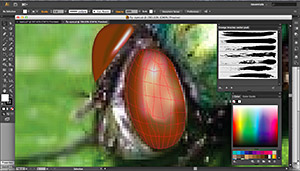
On our introductory Illustrator training course you'll build a solid foundation in Adobe Illustrator, starting with a tour of important menus, tools and panels. We then explore selection tools, drawing tools and the Pen tool as well as transformations / distortions and type tools.
In this two-day course, you will learn how to use Adobe Illustrator to create high quality illustrations, logos and other custom artwork. You will discover how to transform existing shapes, and learn how to add colour to drawn objects. You'll also use layers to organize your artwork, and explore the options for exporting your Illustrator files.
We will teach you to work efficiently in the Adobe Illustrator environment with various modes, panels, and settings so that you can optimise your workflow which will both improve your designs as well as save you time. We will also use the full range of shape drawing and freehand drawing tools to build professional illustrations.
A key aim on the course is to develop both attractive and professional illustrations, so you will learn to use the advanced selection, organisation, and drawing tools along with the full range of transformation and distortion tools.
Of course working with text is a big part of Adobe Illustrator, so we will make sure that you are happy using the various typography tools while applying wrap, flow, shape, and path modifications to text content.
Illustrator Course Highlights
The course covers the following areas :
- Getting to Know Illustrator
- Using menus & panels
- Creating new documents
- Navigating the workspace
- Tools Overview
- Rulers, Grids and Guides
- Creating Shapes using Primitives
- Rectangle
- Rounded Rectangle
- Ellipse
- Polygon
- Star
- Flare Tool
- Applying Strokes and Fill colour
- Colour Pallets – working with and creating Swatches
- Colour Palette
- Swatch Libraries
- Gradient Pallete
- Transforming Paths
- Moving
- Rotating
- Reflecting
- Scaling
- Shear
- Using Transform Each
- Anchor & Control Points
- Selection Tool
- Direct Select Tool
- Bezier Handles
- Object Arrangement
- Layers Pallete
- Creating Layers
- Staking Order
- Working with Grouped Layers
- Selecting Paths
- Layer Options
- Drawing
- Paintbrush & Pencil Options
- Creating Custom Brushes
- Creating Symbols to use with the Symbol Sprayer
- Working with the Pen Tool
- Drawing Paths for Selection
- Text Creation
- Creating Text on a Point
- Creating Text in an Area
- Applying Text to a Path
- Converting text to paths
- Saving & Exporting
- Supported File Formats
- Exporting into other Applications
- Using the Native .ai Format
- Exporting as PDF for Print
Illustrator Course Feedback - 4.7 out of 5.0 stars
"The trainer Greta was great - very helpful and she made sure she tailored the content specifically to the people in the room. - I found the course great fun and really useful, great trainer - would recommend!" - Stacey @ Agilitas
"Flexibility to tailor the course to you're requirements. - Well worth the money, any less than a two day course would not be enough time to learn what I needed to, so the length of the course is perfect. Mark was very good at explaining the programmes tools and processes to achieve different effects. There was a relaxed atmosphere to work in, which I feel is key when learning new skills." - Selina
"Small class meant that it was easy to ask for help and specific questions - Really good, I would recommend." - Katie @ Parker Knoll
"The teacher was very relaxed and spent a lot of time with us individually as well as part of a team - Very good. Learned what I needed to learn." - Hollie
Course Trainer

With 12 years background in IT training, Greta works primarily with Adobe products and trains for many leading agencies.
As well as training Adobe applications for traditional print, Greta also has a focus on ePublishing, training everything from document layout for ebook publication to building interactive content for digital magazines.
Writing on a freelance basis for various magazines has led to articles being published in Marketing Weekly and Computer Arts. She has also been a technology correspondent for Writing Magazine / Writers News owned by Warners Group for the past ten years.
Course Software

The trainers of our Adobe training courses are familiar with most previous versions of Adobe's Creative Suite and therefore will be able to guide your learning no matter which version of the software you have. We try to provide course content that is generic to versions CS3 to CS6, but your trainer will also showcase the features of the latest version. Currently we now demonstrate the functionality of the Adobe Creative Cloud suite.
Course Location
This Adobe Illustrator course is run from our rooms on Jubilee Campus in Nottingham, which is part of the University of Nottingham's Innovation Park. These are serviced by a state-of-the-art tram system allowing easy access to the city centre as well as direct hourly rail services from London, Liverpool, Manchester, Birmingham, Derby and Leicester.
